

Open a free demo trading account
Trial trading strategies on real market conditions with unlimited usage. Try our platform, risk-free and cost-free.
WHY TRADE WITH VISIONFX?
Find successful traders and replicate their moves
Equiti Copy is a feature-rich platform that allows you to copy a provider’s trading strategies on over 2,000+ financial assets.
Real market action
Try out real trading strategies on live markets and practice with unlimited usage of virtual funds.
Risk-free, cost-free
No sign up fees, no deposits, no downloads. Open an account to try out your trades.
Train with VisionFx
Boost your demo experience with free eResources and follow our Social pages for upcoming events.
Demo account
Test before you invest
- Totally free
- Full access
- Demo FX and CFD trading strategies
- Practice with $10,000 in virtual funds
- Learn on live markets with real-time data
- No deposits or bank details required
LEARN WITH VISIONFX
Trading demo FAQs
Yes, you can open a free demo trading account for online trading with simulated funds to test the platform and your trading strategies risk-free on live markets. Open a trading demo by logging in to the VisionFx Portal and selecting “Demo” under platforms. Demo accounts have access to our full list of products on trading platform MT5.

Yes, you can have up to 3 active demo trading accounts at VisionFx. All trading demos are valid for 90 days. You can use your demo to test real trading strategies on live markets, with full access to all products. However, trades made on demo accounts will only be simulated. You cannot profit from demo trades.
Yes, you can reset your simulated trading balance by logging in to your Client Portal. We automatically set the balance to $10,000 in virtual funds on when you open a new demo.
Yes, all demo trading accounts expire if left inactive for 90 days.
When you create an account profile on the VisionFx Portal you have the option to open live or demo trading accounts. However, the simulated trades that you make in a demo account cannot be turned into real trades. You will need to open a new position once you have registered for a live trading account and add your own funds. To register for a live trading account, open the VisionFx Portal, click “Open Account” and fill out your details. We’ll send you an email to verify your account, and then you’ll need to make your first deposit to start trading.

Platforms
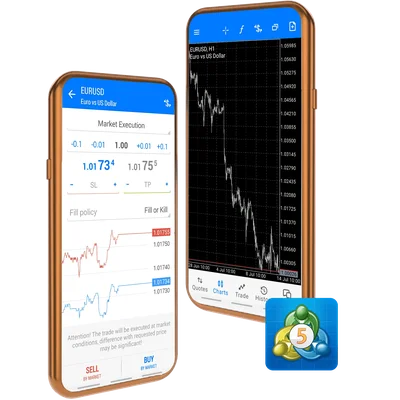
Trade CFDs with live market data on MT5 from your phone or computer.

Trading products
Trade CFDs on forex, crypto, commodities, indices, shares and ETFs.

Partners
Introduce your client network for competitive benefits.